A good LinkedIn headline starts with the job title people actually search for, adds one specific result that proves you are good at it, and ends with who you help. Put the most important words first, because the start is often all people see, and stay under the 220-character limit.
Your headline is the line under your name. It follows you everywhere on LinkedIn: search results, every comment you leave, every post, every connection request and message. By default LinkedIn fills it with your current title and company, which is like handing out a business card that only says where you work.
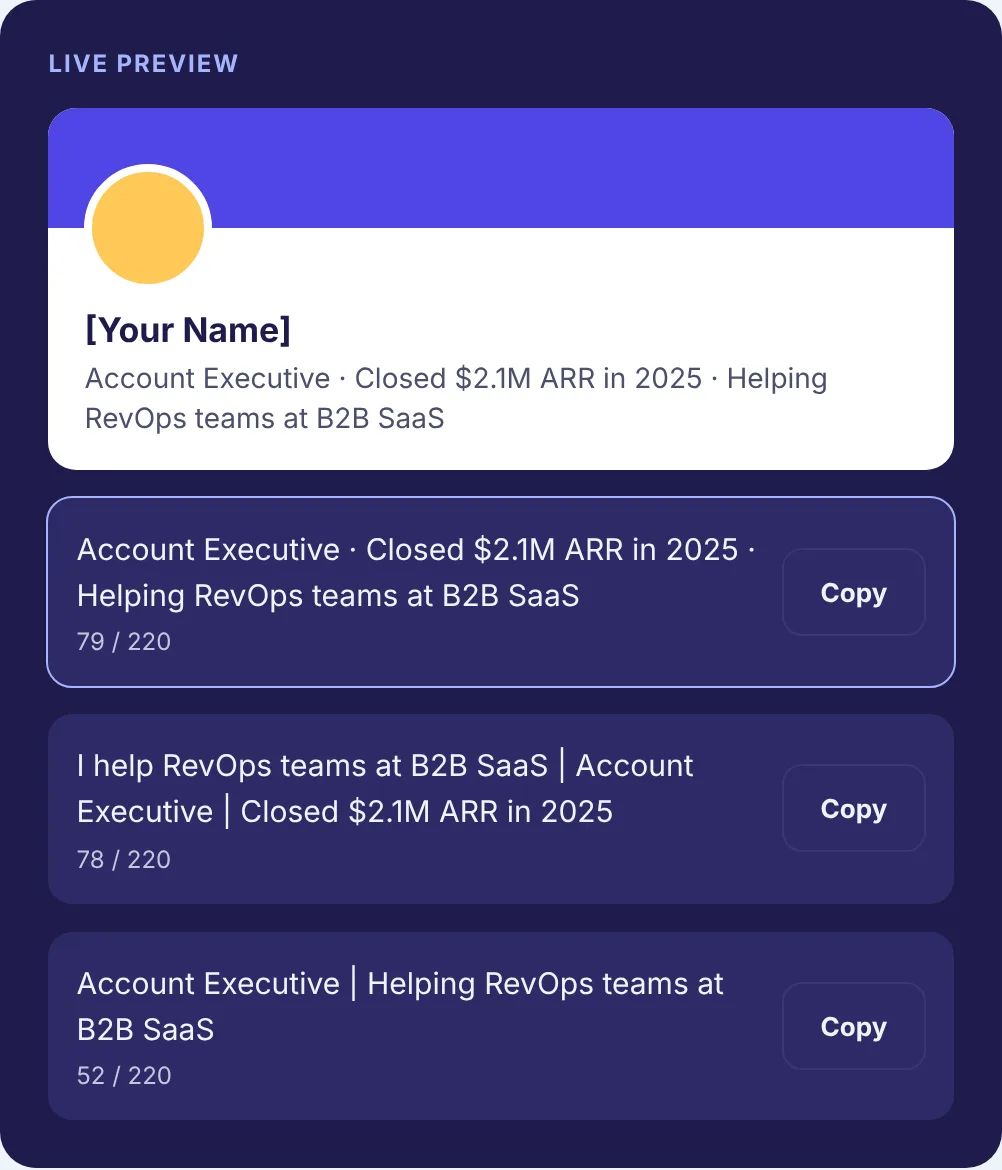
The easiest way to learn the fix is to watch one headline get rebuilt. Below we take a single example person through five steps, measuring each version as we go. You can do the same with your own details in the free LinkedIn Headline Generator, which takes your role, a result and your audience and returns three versions on a profile card.
Meet the example
Maya is a made-up backend engineer at a made-up company, Northwind, which runs an online store. Her headline today is the default:
Software Engineer at Northwind
That is 30 characters. It is accurate, and it does almost nothing. A recruiter searching for backend engineers might not match “Software Engineer”, and a stranger who sees Maya’s comment under a post has no reason to click.
Step 1: Put the searchable title first
Start with the title other people would type into a search box for the job you do or want. Not your internal title, not a joke title. “Customer Success Manager”, not “Client Happiness Hero”.
Maya’s company calls her a software engineer, but the work she wants to be found for is backend work. So the first words change:
Backend Engineer
Sixteen characters. If you read nothing else of her headline, you already know what she does. That is the test for step 1.
If your company uses an unusual title, use the common version that other companies use for the same work, as long as it is accurate. Your experience section can carry the official title.
Step 2: Add one result someone could check
Now give people a reason to pick you out of a list of ten backend engineers. One concrete proof point does it: a number, a scope, a credential or an outcome. One, not five.
For the example, say Maya led work that made checkout faster:
Backend Engineer · Cut checkout response times in half at Northwind
That comes to 67 characters. Note that the result is something an interviewer could ask her about, and something her experience section can back up. If you cannot explain a number in an interview, it does not belong in your headline.
Early in your career, a result may be a project, a certification or a skill set instead. “Data Analyst · SQL, Python, Tableau” is a perfectly good step 2 for a new grad.
Step 3: Say who you help
The third part tells the reader whether you are relevant to them. Name the audience, the industry or the kind of problem you work on.
Backend Engineer · Cut checkout response times in half at Northwind · Helping e-commerce teams ship reliable payments
That is 117 characters, roughly half the limit, and it now answers three questions: what she does, how well, and for whom. Most strong headlines follow this role, result, audience pattern. Not all of them need all three. Founders often lead with the problem they solve, and some senior people drop the result because their title says enough.
Step 4: Cut and reorder
Read the draft and remove anything that does not earn its place. In Maya’s version, “at Northwind” repeats what her experience section already shows, and “Helping” is soft. Recruiters for backend roles also search by language and platform, so a few named skills would help her get found. Here is a tighter version:
Backend Engineer · Python, Go, AWS · Halved checkout response times · Building reliable payments for e-commerce teams
Also 117 characters, but with three search terms added and nothing lost. The order matters too. In search results, comments and on phones, people often see only the first part of a headline before it cuts off. Read just the first half of yours. If that half still says who you are and what you do, the order is right. Maya’s first 60 characters, “Backend Engineer · Python, Go, AWS · Halved checkout respons”, already carry her title and three skills, so it passes.
Separators are a matter of taste. A middle dot or a vertical bar both work. Pick one and use it consistently.
Step 5: Test it like a stranger would
Run these four checks before you save:
- Search test. Would someone looking for your target role type the words at the start of your headline?
- Phone test. Open your profile in the LinkedIn app and see how much of the headline shows. Then look at a comment you have left and see how it appears there.
- Stranger test. Show it to someone outside your field. Can they say what you do and who you do it for?
- Proof test. Is every claim backed up somewhere in your experience section?
Then put a reminder on your calendar to revisit it every few months, and swap in better results as you get them.
How we measured the lengths
The character counts on this page come from the same counting function our Headline Generator and Character Counter use, which counts one character per Unicode code point. We ran each version of Maya’s headline through it:
| Version | Characters |
|---|---|
| Default: Software Engineer at Northwind | 30 |
| Step 1: title only | 16 |
| Step 2: title and result | 67 |
| Step 3: title, result and audience | 117 |
| Step 4: tightened, with skills | 117 |
We also ran a classic overstuffed headline, the kind that opens with “Passionate, results-driven technologist and lifelong learner” and ends with a list of tools and “Open to new opportunities”. It came to 213 characters, just under the 220 limit, and its first half did not contain a title anyone would search for. “Backend” does not appear until character 146. Long is not the problem. Burying the title is.
One more thing our test showed: “Backend Engineer” set in Unicode bold is still 16 characters by our count, but it is made of different characters from the plain words. Search may not match styled letters to what people type, so keep your headline in plain text. Our guide on how to bold text on LinkedIn explains why.
Three more quick rewrites
The same steps work for any role. These are illustrations, not real people:
| Before | After |
|---|---|
| RN looking for opportunities | ICU Registered Nurse · 6 years in critical care · CCRN certified |
| Realtor | Austin Realtor · Helping first-time buyers close with confidence |
| Marketing professional | B2B Content Marketing Manager · Grew a SaaS newsletter from zero · Writing about demand gen |
For many more, sorted by job, see our LinkedIn headline examples.
Things that weaken a headline
- “Seeking opportunities” or “unemployed” in place of a role. If you are job hunting, lead with the role you want. LinkedIn’s separate Open to Work setting tells recruiters you are looking, so the headline does not have to. The headline guide for job seekers covers that case in depth.
- Words a reader cannot check: guru, ninja, rockstar, visionary.
- Ten skills in a row. Three are scannable. Ten look like a keyword dump.
- Emojis in fields where people expect formality. One emoji can suit a creative role. In legal, finance and healthcare, plain text reads better.
Write yours now
Put your role, one result and who you help into the free LinkedIn Headline Generator. Compare the three versions on the profile card, check the character counts, then run the four tests from step 5 before you save. When the headline is done, the rest of your profile is covered in our profile optimization guides.