Name the exact role, give one concrete reason you fit it, and ask for one small thing, such as a quick call or the next step. Three or four sentences is plenty. A recruiter should be able to read it on a phone and know what to do next.
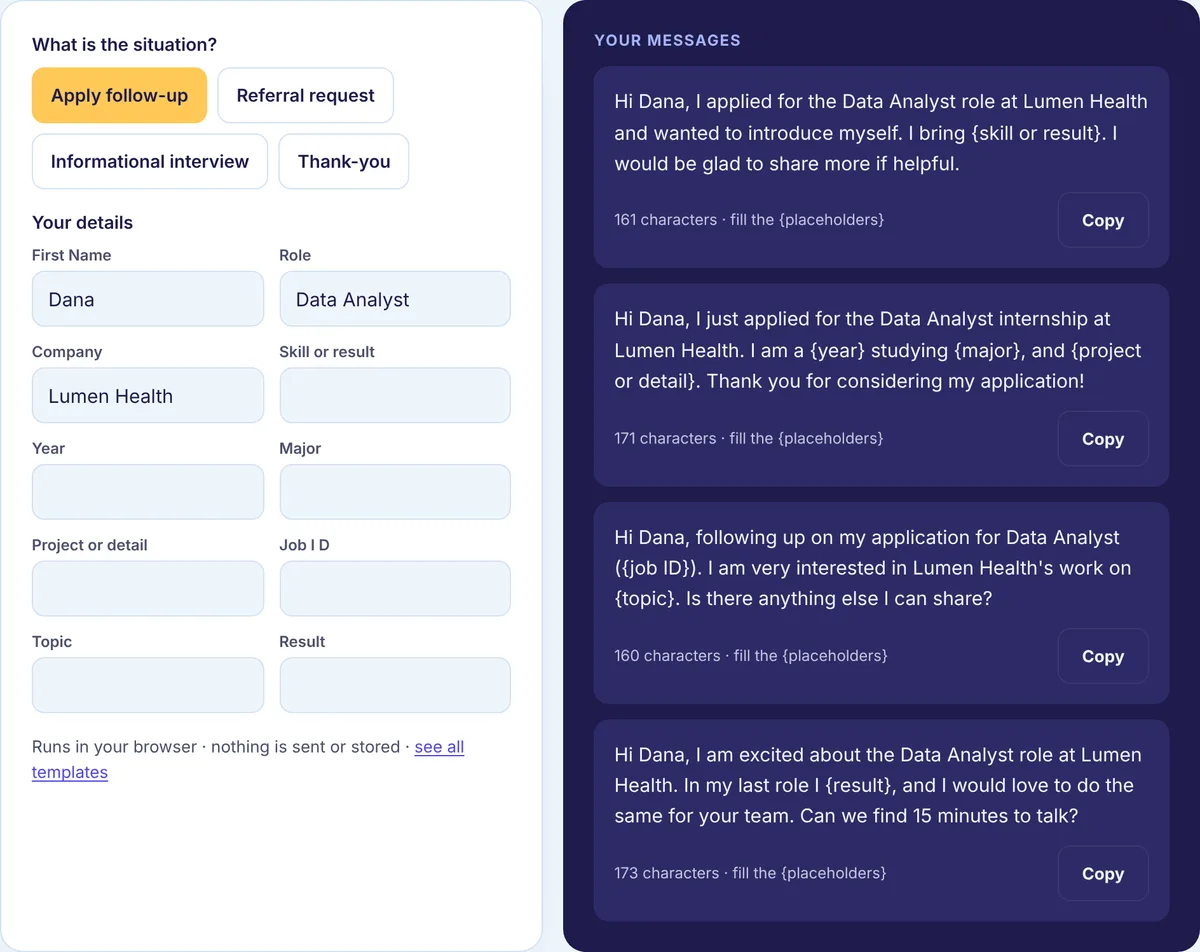
We call that role, fit, ask. It sounds obvious, but most messages that go unanswered break at least one of the three: no role, so the recruiter cannot route it; no fit, so there is no reason to care; or no ask, so there is nothing to reply to. The quickest way to see it is with real-looking messages, so below are six common ones, each rewritten, with a note on what changed. All names and companies are made up. The free Recruiter Message Generator builds the “after” version from your own role, company and result.
Rewrite 1: the “any update?” after applying
Before
Hi, I applied for a job at your company last week. Any update?
After
Hi Dana, I applied for the Data Analyst role at Lumen Health (ID 4821) and wanted to introduce myself. I have spent three years building SQL dashboards for a hospital group, which lines up with the reporting work in the post. Happy to share anything that would help.
The before version makes the recruiter do detective work: which job, which applicant? The after version gives the title and ID so Dana can find the application in seconds, then one fact that connects you to the job. The ask is soft on purpose. You are not demanding a status; you are making yourself easy to evaluate.
Rewrite 2: the “open to anything” message
Before
Hello! I am looking for new opportunities and am open to any role at your company. Let me know if anything fits.
After
Hi Alex, I am interested in the Product Designer opening on the accessibility team at Brightline. I led the screen reader audit for a retail app last year and would love to bring that work to your team. Could I send a short portfolio link?
Recruiters hire for specific roles. “Anything” sounds flexible to you but reads as unfocused to them, and it leaves them to match you to openings, which they will not have time to do. Pick the one role you fit best. If there are two, mention the second only after they reply.
Rewrite 3: the life story
Before
Hi Morgan, I wanted to reach out because I have always been passionate about logistics. I started my career in retail, then moved to a warehouse role, and over the past eight years I have done many things including inventory, scheduling, vendor relations and some reporting. I am now looking for a change and think your company would be a great place…
After
Hi Morgan, I saw the Logistics Coordinator opening at Northwind. For the past three years I have scheduled inbound freight for a regional fleet, which is most of what the post describes. Would a quick call this week or next be useful?
Your history belongs on your profile and resume. The message has one job: get the recruiter to open them. Cut everything that is not the role, the single strongest reason you fit, and the ask. If the recruiter wants the backstory, they will ask for it, and then it is a conversation instead of a wall of text.
Rewrite 4: the referral request to a near-stranger
Before
Hi Riley, can you refer me to Lumen? I really need a job.
After
Hi Riley, we overlapped at Northwind for a year on the platform team. I am applying for the Backend Engineer role at Lumen and wondered if you would be comfortable referring me. I can send my resume and a two-line summary so it takes you a minute. Totally fine if not.
A referral puts the referrer’s name on the line, so give them a reason (shared history) and make it easy (offer the summary). The phrase “I really need a job” comes from a real, stressful place, but it pushes the other person into feeling responsible for you. Focus on fit, and give them a clean way to say no. If you have never worked together, ask for advice first instead. Our guide on how to ask for a referral on LinkedIn covers that path.
Rewrite 5: the informational interview that asks too much
Before
Hi Jordan, I would love to pick your brain. Can we set up a 45-minute call so you can tell me everything about working in UX research?
After
Hi Jordan, I am exploring a move from teaching into UX research, and your path stood out. Would you be open to a 15-minute call in the next couple of weeks? I have three specific questions about how you made the switch.
“Pick your brain” and “everything” signal an open-ended favor. A short time box, a reason you chose them, and a promise that you have prepared questions make it easy to agree. Then keep the call to the time you asked for.
Rewrite 6: the thank-you that says nothing
Before
Thanks for the call.
After
Hi Dana, thank you for speaking with me about the Data Analyst role today. I enjoyed hearing about the move to the new data platform, and it made me even more interested in the team. I will send the work sample by Thursday as we discussed.
A thank-you note is short, but it should prove you listened. Mention one detail from the conversation and restate any next step. Send it the same day or the next.
Who should you message?
The recruiter for the role is the best first choice. They are often named on the job post. If not, search the company on LinkedIn with “recruiter” or “talent” and look for someone who hires for that team. People on the team itself are better for informational conversations or referrals than for asking about a job directly. Former colleagues and alumni at the company are the warmest route of all.
Pick one or two people per company. Ten people at one company getting the same message reads as spam, and recruiters on the same team do talk to each other.
Connection request, message or InMail?
If you are not connected, you can send a connection request with a short note. Recruiters accept a lot of requests, so this often works, and then you can message freely. The note has a character limit, which you can check on our LinkedIn limits page. InMail lets you message people outside your network but needs a paid plan, so use it when timing is tight. We compare the two in LinkedIn InMail vs message.
What we checked before publishing this
Since the connection note is the tightest place you might send one of these, we checked whether our own recruiter templates fit in it. We ran all 15 examples from our recruiter message templates through the character counter our tools use. They came out between 136 and 222 characters. LinkedIn allows 200 characters in a connection note on a free account and 300 with Premium (see our limits page), so the longer ones only fit as a note if you have Premium. On a free account, send them as a message once you are connected, or cut the last sentence first.
We also counted the six “after” messages on this page. They run from 219 to 268 characters, so they fit in a connection note too. Five of them are longer than their “before” versions. The exception is Rewrite 3, where the after is about a third shorter than the life story it replaces. Good recruiter messages are not about being as short as possible. They are about every sentence doing a job.
When should you follow up?
After about a week, once. Add something new if you can, like a relevant project or a portfolio link. If there is still nothing, put your energy into other applications. A polite final note keeps the door open; repeated messages close it. The Follow-up Message Generator has ready versions.
Get your profile ready first
Anyone who gets your message will click your name. If your headline says “Seeking opportunities” and the message says “Data Analyst,” the two fight each other. Make the headline name the role you want, and make sure the top of your About section backs it up. The free Headline Generator gives you a few options to compare.
Write yours now
Pick your situation in the free Recruiter Message Generator, fill in the role, the company and one result, and copy a message you can send today. For the rest of your search, see our job search guides.