A regular LinkedIn message is free and goes to people you are already connected with. InMail is a paid feature that reaches people outside your network, comes with a subject line, and uses a credit each time. If you can connect first, send a message. Save InMail for people who are hard to reach when timing matters.
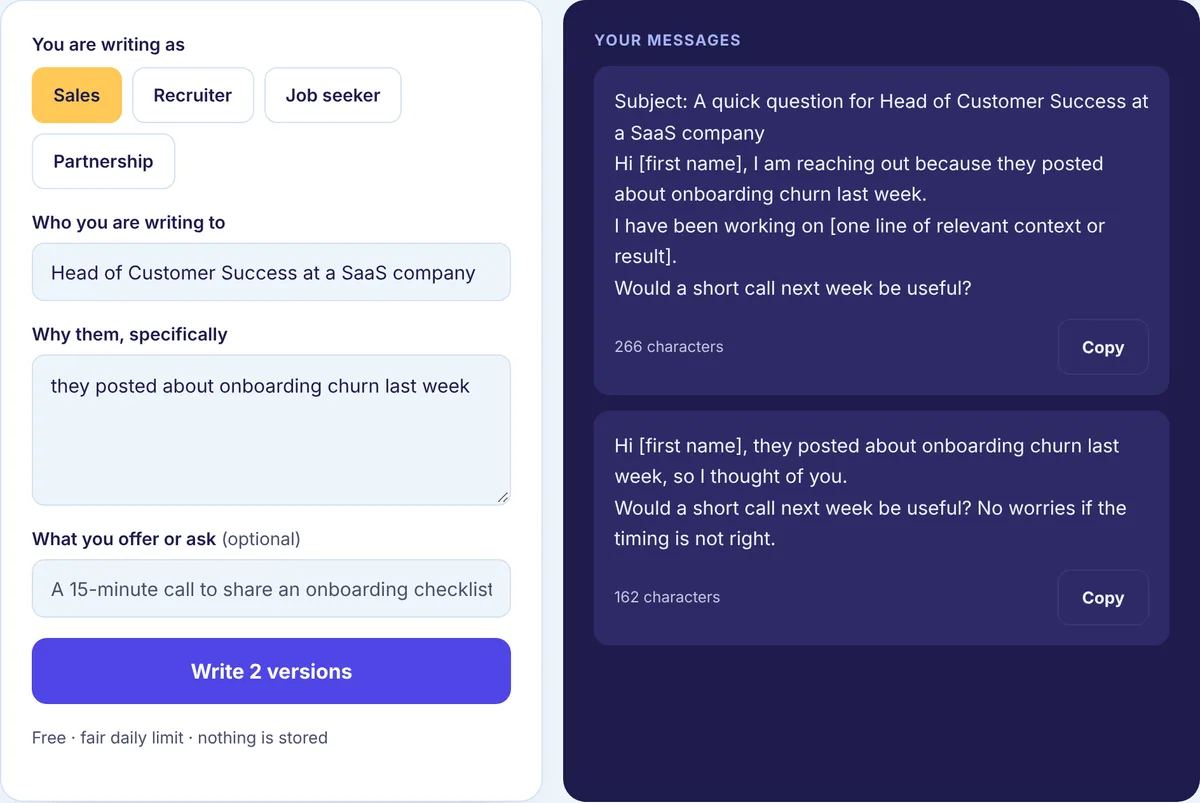
That rule covers most cases, but the details depend on who you are writing to and why. So we put the decision in a table, then explain each row. The free Cold Message and InMail Generator writes either format, with an optional subject line when you need one.
The two side by side
| Regular message | InMail | |
|---|---|---|
| Who you can reach | Your connections | People outside your network |
| Cost | Free | Needs a paid plan and uses credits |
| Subject line | No | Yes |
| How it feels | Like a chat | Closer to an email |
| What it implies | Some relationship exists | You are writing cold |
Plan names, credit amounts and the fine print change over time, so check LinkedIn’s current plan pages before you pay for anything because of InMail. Everything below sticks to the parts that stay stable.
The decision table
Find the row closest to your situation.
| Your situation | Send | Why |
|---|---|---|
| 1. You share context: a mutual connection, an event, a past chat | Connection request, then a message | Free, and the shared context makes accepting easy |
| 2. They are senior or well known and rarely accept strangers | InMail | A request may sit pending for months |
| 3. A deadline is close: a role closing, a decision this month | InMail, or both in sequence | Waiting for an accept may take too long |
| 4. You want an ongoing back-and-forth | Message | Chat suits conversation; InMail suits a first contact |
| 5. You will reach many people over months | Messages | Credits run out; free messages at a normal pace do not |
| 6. Your plan already includes credits | InMail for the hard cases only | Use what you pay for, on people rows 1 to 5 cannot reach |
| 7. Their profile accepts messages from anyone | Message them directly | Some members allow this, so you may not need a credit |
Row by row
Row 1: shared context means connect first
If you met at an event, share a mutual connection or have talked before, a connection request with a specific note is very likely to be accepted. Once it is, you can message as often as the conversation calls for, at no cost. Spending a credit here buys you nothing. The note itself matters, so see how to write a LinkedIn connection request before you send it.
Row 2: senior people and the pending pile
Executives and people with a public profile often have a long list of pending invitations. Your request joins the queue, and they may never get to it. An InMail lands in the inbox instead, with a subject line that can say why it is worth opening. That does not guarantee a reply. It does mean they see it.
Row 3: when the calendar decides
A job posting that closes Friday, a budget decision happening this month, an event next week. If the reason for your message expires before a connection request would likely be accepted, InMail is the faster path. If you are not in a rush, row 1 is usually the better habit.
Row 4: conversations belong in messages
Messages are built for back-and-forth. Once someone replies to your InMail, the conversation can continue normally. But if your plan from the start is to talk regularly, getting connected is the more natural base.
Row 5: volume favors messages
Credits are limited by plan. If you are reaching out to many people over a few months, as in sales or recruiting, connecting first and messaging at a steady pace is sustainable in a way credits are not. It also forces you to write a good connection note, which is a useful filter: if you cannot think of a reason they would accept, you may not have a reason to message them either.
Row 6: credits you already have
If you pay for a plan for other reasons, the included credits are worth using well. Spend them on the people from row 2 and row 3, not on people who would gladly accept a request. A credit spent on someone you could have connected with is a credit you do not have for someone you could not.
Row 7: profiles that accept anyone
Some members change their settings so that people outside their network can message them. If that is the case, you can write to them without a connection or a credit. Your writing should still read like a first contact, because to them it is one.
How the writing changes
The core is the same for both formats: why them, one line of context, one small ask. The format changes the opening and the tone.
A regular message
You have shared context, because they accepted your request. Use it. Keep it conversational and short, like a text from a colleague.
Thanks for connecting, Priya. You mentioned the analytics meetup in your note, and I am stuck on the same streaming problem you described there. What did your team end up choosing?
An InMail
The subject line does the first job, so make it specific and honest. “Quick question” with no context reads like spam.
Subject: Your talk on data pipelines and our open role
Hi Priya, your talk at the analytics meetup was the clearest take on streaming I have heard. We are hiring a senior data engineer at Lumen Health, and the work is close to what you described. Open to a short chat about it, or should I check back later in the year?
Because the person does not know you, the “or later” matters. It gives them a polite way to say not now, which often makes a reply more likely than a hard ask. For more on writing the body, see how to write a LinkedIn cold message.
Using both, in order
You do not have to choose once and forever. A sequence that respects the person’s time:
- Leave a thoughtful comment on something they posted.
- A few days later, send a connection request with a specific note.
- If they accept, send a regular message.
- If they have not accepted after a reasonable wait and the reason is time sensitive, send one InMail.
Keep the total number of touches low and spread out. Never message and InMail the same person on the same day. The Outreach Sequence Builder helps you plan which touch happens when, so that does not happen by accident.
Where people waste InMail
Spending a credit on someone who would have accepted a request. Subject lines like “Opportunity” or “Hello” that give no reason to open. Writing InMail like a newsletter, with long paragraphs and feature lists. Sending a message and an InMail to the same person in one week. And automating either format, which LinkedIn does not allow and which recipients can usually tell.
Test it on your own numbers
General claims about InMail reply rates do not tell you much about the people you write to. For a few weeks, log each message and each InMail, and count the replies for both. If InMail is not clearly doing better for your audience, connecting first is the cheaper habit. Change one thing at a time, so you know what caused the difference.
Draft your message or InMail
Open the free Cold Message and InMail Generator, say who you are writing to and why them, and pick the version that fits your channel. For ready-to-edit openers, see our cold message and InMail templates. For the full process from first touch to follow-up, see our LinkedIn outreach guides.